Bing lets you turn off AI answers with a simple switch or symbol (-ai)
If you find AI summaries cluttering your search results, Bing now gives you an easy way to get plain web results again.
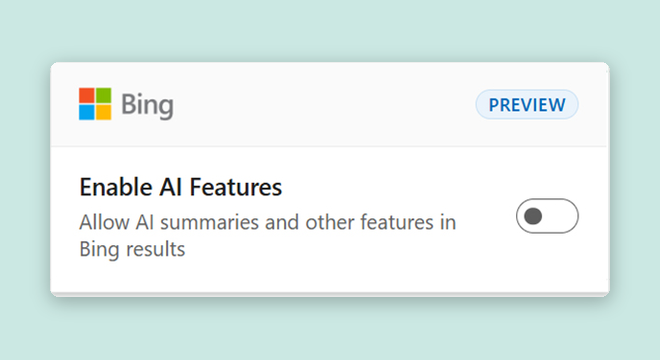
A Bing setting that lets you switch off AI summaries in your search results.
What you could do with it
- A Bing user frustrated by AI summaries could install the Microsoft Bing AI Search Choice browser extension to turn off AI-generated answers across all their searches with one toggle 2.
- Any person searching on Bing could type the minus sign followed by 'ai' at the end of a query to instantly get plain web results without any AI summary at the top 2.
- A user who wants no AI automatically could set up a custom search engine in their browser settings so the '-ai' operator is appended behind the scenes every time 1.
Picture: blogs.bing.com
Two ways to ditch the AI summaries
Microsoft has officially rolled out the "Microsoft Bing AI Search Choice" browser extension in preview form, designed to give users control over whether AI-generated answers appear when they search on Bing 2. Once installed, the extension adds a simple toggle switch — turn it on if you want quick AI-powered summaries, or flip it off to get the familiar list of links and sources . The preference stays active across all your Bing searches, so you won't need to adjust it each time.
The extension works with both Google Chrome and Microsoft Edge, the latter being built on the same underlying technology as Chrome 2. Installing it also sets Bing as your default search engine in the browser .
But if you would rather not install anything extra, there is an even simpler trick: just type a minus sign and the letters "ai" at the end of any search query 2. Try it yourself — searching "why is the sky blue -ai" will return results without any AI-generated answer at the top . For people who want this to happen automatically without typing the symbol every single time, Bing says you can set up a custom search engine in your browser settings that appends "-ai" behind the scenes 1.
Two ways to turn off Bing AI summaries
Microsoft blog announcement; all details from the article
A choice, not a step back
In a blog post announcing the feature, Microsoft wrote that it believes users should be able to choose how they search, noting that while AI-powered summaries can be helpful sometimes, many people still prefer to scan results, compare different sources and decide for themselves which information to trust 2. The company said it is proud of the AI experiences it is building into Bing but also wants to serve users who are unhappy with how generative AI features are changing the web 1.
This comes at a time when competition in search is heating up. Google holds roughly 90% of the global search market and is pushing hard into AI-powered answers with its "AI Overviews" 1. However, an analysis commissioned by the New York Times estimated that these AI Overviews generate tens of millions of incorrect answers every hour, a figure Google disputes as having "serious holes" . Meanwhile, Google is also encouraging schools in the United States to accept its AI tools or lose access to Google Search on student accounts, though some schools have pushed back, saying they do not want Google's Gemini AI in the classroom either way .
Microsoft acknowledges that Bing still ranks well below Google in overall search usage 1. By letting people choose between AI-enhanced and traditional search results, the company is hoping to win back users who feel left behind by the rapid push toward generative AI in everyday tools .
The browser extension is currently in preview, meaning Microsoft may make changes based on feedback from early users 2. The company invited people to try it and share their thoughts, particularly about what is working, what feels missing and what else would help them decide when AI should be part of their search experience .
Key facts
- Two options exist: a browser extension (preview) and typing '-ai' at the end of any Bing search
- The extension works on both Chrome and Edge and sets Bing as the default search engine
- Users can set up a custom search engine in browser settings to auto-add the '-ai' operator
- An estimated tens of millions of wrong answers per hour come from Google's AI Overviews according to a NY Times-commissioned study
- Google holds roughly 90% of the global search market
Sources
If this story concerns you or your company, or uses something that belongs to you, ask for a correction or for it to be taken down. How requests work
Keep reading
 Apps and productsGoogle opens TorchTPU, a native PyTorch backend for cloud TPUsHerald of AIhttps://github.com/soumith, CC BY-SA 4.0, via Wikimedia Commons
Google opens TorchTPU, a native PyTorch backend for cloud TPUs
A new open-source stack lets developers run PyTorch models directly on Google's TPU chips, replacing the older PyTorch/XLA system.
 Apps and productsGoogle Unveils Playground An AI-Powered Gaming Platform Where Anyone Can Create GamesHerald of AI
Google Unveils Playground An AI-Powered Gaming Platform Where Anyone Can Create Games
Google's new experimental platform lets users create, play and share games with simple text prompts—no coding required.
 Business and rulesMirendil raises $1 billion to use AI agents for faster model developmentHerald of AI
Mirendil raises $1 billion to use AI agents for faster model development
A new startup founded by former Google DeepMind and Anthropic researchers says its automated platform lets small teams build large AI models quickly and cheaply.