MIT’s TangiMap turns any mixer or controller into a personalized app control panel
An AI system reprograms physical buttons and sliders so they can control any app—making photo editing, music mixing and 3D design more tactile and hands‑free.
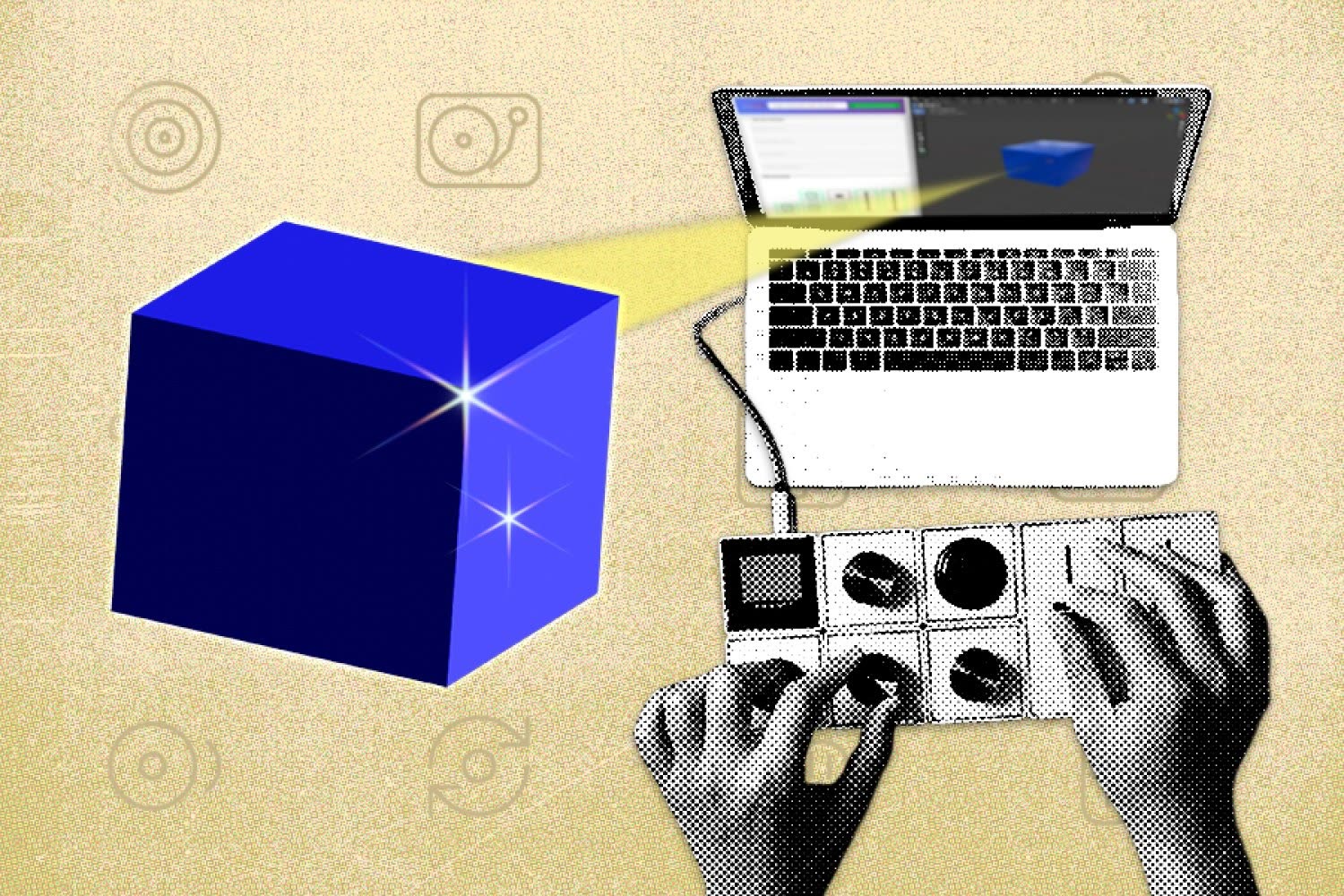
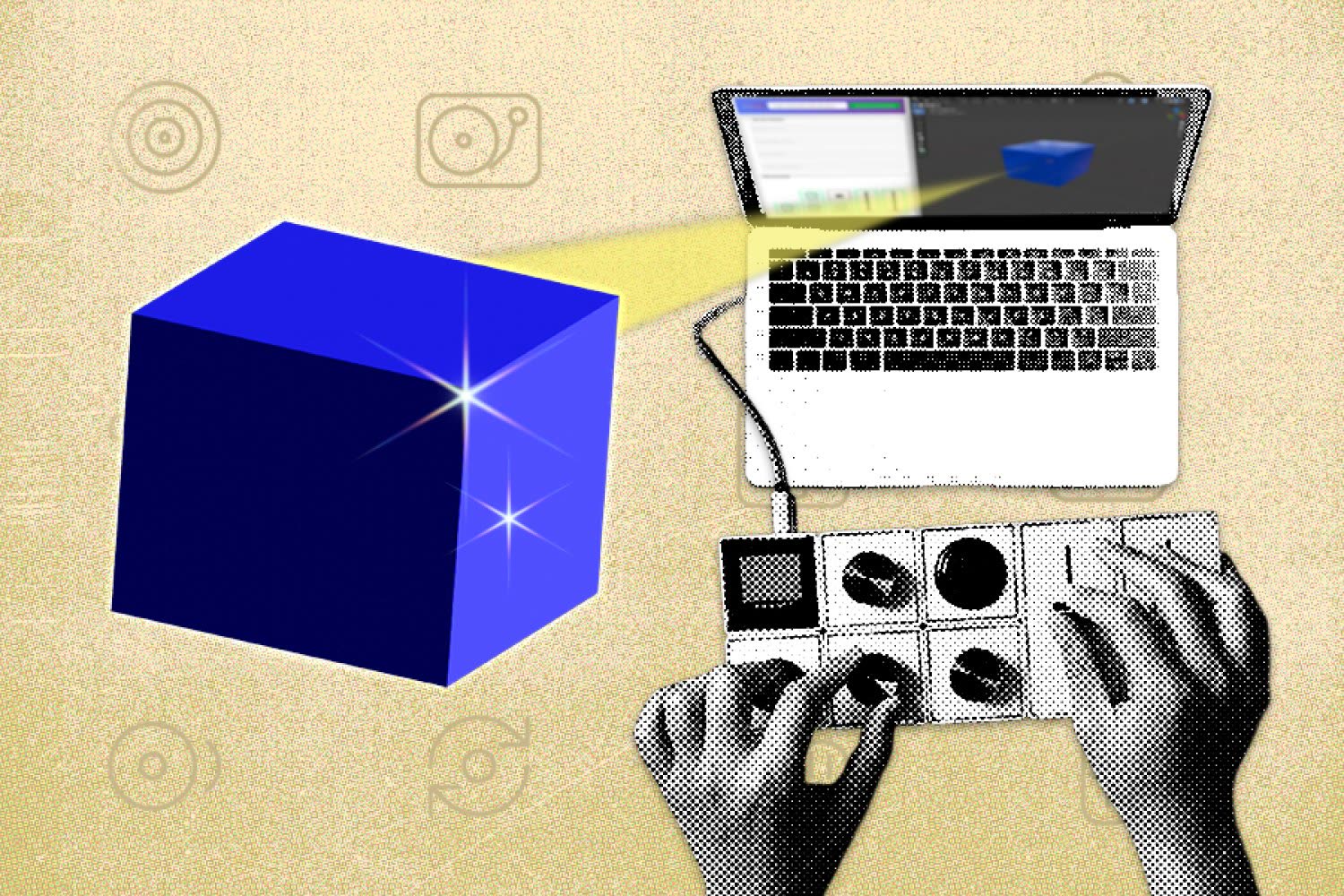
An AI system that lets you reprogram physical buttons and sliders on any device to control whatever app you are using.
- The AI watches your screen and reads the app.
- It figures out which knob does what.
- You turn real dials to change settings in the app.
What you could do with it
- A photographer could reprogram a standard audio mixer to control Adobe Lightroom, turning physical knobs to adjust color settings with on-screen visual feedback 1.
- A musician could map a mixer's knobs and faders onto sound-mixing software, letting them tweak their music in real time without looking away from their equipment 1.
- A 3D artist could connect a simple mixer to Blender so that once a model is generated, they can dial in details like shininess using tactile physical controls 1.
Picture: news.mit.edu
A DJ for your software
Since Apple removed the home button from iPhones in 2017, many physical controls have disappeared from phones, cars and kitchens—a trend toward touchscreens and virtual knobs. But tangible inputs remain convenient and precise. Think of how you can change a car’s volume without taking your eyes off the road, or dial in exactly the right level on a guitar pedal.
TangiMap wants to give those familiar controls new jobs. Just as a DJ’s pad can be reassigned to trigger different sounds, loops or samples mid-set, TangiMap lets a device’s knobs and faders take on entirely new roles depending on what you’re doing.1
TangiMap lets one physical controller run several creative apps
- Adobe Lightroomadjust color & exposure with knobs
- Music-mixing softwareshape sound with faders live
- Blendertweak 3D materials by hand
- Character Animatortrigger expressions & moves
Four demos shown at MIT's CSAIL; each gets a custom UI.
How the AI figures out the mapping
The secret is a small “brain”—an AI agent—that watches what you’re working on and learns the best way to assign controls.1 To do this, the agent gathers context from three possible sources:
- The program’s API (the rulebook that lets the software talk to outside tools).
- An MCP server, which acts as a bridge between AI agents and apps.
- A screenshot of your screen that a vision-language model (an AI trained to see images and read text) can interpret.
Once the agent has all the information, it feeds it into a large language model—the kind of AI behind chatbots—and produces a file that maps each physical control to a specific digital function.1
doctoral student Yunyi Zhu, a researcher at CSAIL whose advisor is MIT Associate Professor Stefanie Mueller,1 explained: "TangiMap is part of a bigger goal to make ordinary objects more interactive and adaptable." She added, "Our aim is to reintroduce physical controls so people can operate their devices without looking at them—just like turning down a car stereo while keeping your eyes on the road." Physical knobs and dials also make it possible to change multiple parameters at the same time—for example, adjusting brightness and contrast together while editing a photo—which is difficult using a touchscreen.
What TangiMap can already do
In tests, the researchers turned a standard audio mixer into a controller for several creative programs:
- Adobe Lightroom: Turn knobs to adjust color, with visual feedback on screen.1
- Sound-mixing software: Performers used real faders and knobs to shape music in real time.1
- Blender (3D modeling): After generating a cube from a text prompt, users changed its shininess and other traits with the mixer’s physical controls.1
- Adobe Character Animator: Buttons on a pad triggered expressions and movements, letting the user “puppeteer” a cartoon character live.1
Each application got a custom user interface, adding another layer of personalization to the creative process.1
The next steps
Zhu and her co-author Chang Xiao, an assistant professor at Boston University, unveiled TangiMap at the ACM Symposium on User Interface Software and Technology held earlier this month.1
The team is now working on two improvements. First, they hope to simplify UI creation so that designers can just take a picture of their device and have the system generate the interface automatically. Second, they want to account for ergonomics—how users hold and position their hands during different tasks. For example, the distance between knobs might shift depending on whether you’re mixing music or playing a video game.1
Zhu plans a user study to see whether this “smart DJing” really does improve the experience.1
Her longer-term dream is even bigger: everyday objects equipped with AI brains that decide what they should become in each situation.1 She imagines a chemical jar that tells you if it’s sealed correctly when asked, or displays its typical use when you want to know what’s inside.
“We want other objects to be more intelligent,” Zhu says.1 “Just as our phones and computers generalize to a range of tasks, we want other objects to be more dynamic too.”
The work was partly supported by Google’s Gemini Academic Program Award.1
Key facts
- TangiMap uses an AI agent to remap physical controls (buttons, knobs, sliders) onto almost any software task.
- It gathers context from APIs, MCP servers, or screenshots to decide which control should do what.
- Researchers demonstrated the system controlling Adobe Lightroom, sound‑mixing software, Blender and Adobe Character Animator.
- A user study to test the ‘smart DJing’ idea is planned, along with work on ergonomic hand‑position awareness.
- The research was supported in part by Google’s Gemini Academic Program Award.
Sources
If this story concerns you or your company, or uses something that belongs to you, ask for a correction or for it to be taken down. How requests work
Keep reading
 How it worksAI scans 4,000 medical studies — most don't share useful codeHerald of AI
AI scans 4,000 medical studies — most don't share useful code
Researchers used AI to find out whether doctors and scientists can actually rebuild results from published studies, and the answer was mostly no.
 How it worksMIT's FLEX lets robots read between the lines of your commandsHerald of AI
MIT's FLEX lets robots read between the lines of your commands
A new AI system helps household robots understand what you mean, not just what you say.
 How it worksGPT-6 Astra fixes Qwen3.5’s math ability by rewriting its brain without any trainingHerald of AI
GPT-6 Astra fixes Qwen3.5’s math ability by rewriting its brain without any training
MIT researchers showed a single top AI model can read and edit another model’s internal numbers to make it much smarter at math — no training needed.